Advanced Error Handling in Power Automate Cloud Flows
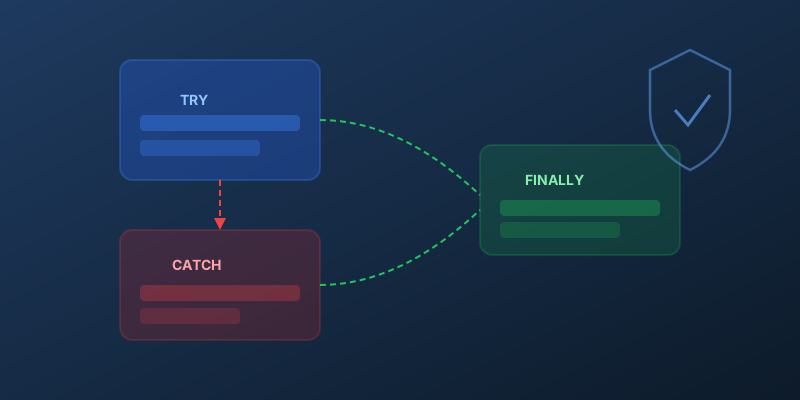
Power Automate has matured significantly, but error handling is still where most flows break down in production. Here is how to build resilient flows using patterns available today.
The Try-Catch-Finally Pattern with Scopes
The most reliable approach uses three Scope actions to mimic structured error handling:
Try Scope
Place your main business logic inside a scope named Try. This groups all the actions that could fail.
Catch Scope
Add a second scope named Catch and configure run after to execute when Try has failed, timed out, or been skipped:
- Click the three dots on the
Catchscope - Select Configure run after
- Check: has failed, has timed out, is skipped
- Uncheck: is successful
Inside Catch, use the result() function to get details from the failed scope:
result('Try')
This returns an array of every action's outcome inside the Try scope — status, error code, and error message. Filter it to find the failed action:
@{first(filter(result('Try'), item()?['status'], 'Failed'))?['error']?['message']}
Finally Scope
Add a third scope named Finally and configure run after to execute regardless of outcome — check all four options (successful, failed, timed out, skipped).
Use this for cleanup: closing connections, sending status notifications, or updating audit logs.
Structured Error Logging
Instead of just sending a failure email, log errors to a Dataverse table or SharePoint list with:
- Flow name:
workflow()?['tags']?['flowDisplayName'] - Run ID:
workflow()?['run']?['name'] - Error action: the name of the specific action that failed
- Error message: extracted from
result() - Timestamp:
utcNow()
This gives you a searchable error history across all your flows — far more useful than inbox-based alerting.
Retry Policies
For transient failures (API timeouts, throttling), configure retry policies directly on HTTP and connector actions:
- Fixed interval: retry every N seconds
- Exponential: back off with increasing delays
- None: fail immediately (useful when you handle retries yourself)
Set these under the action's Settings tab. Most connector actions default to 4 retries with exponential backoff — which is usually fine, but you should know it is happening.
Terminate vs. Respond
Use Terminate with a status of Failed and a meaningful error code when you want the flow run to show as failed in the run history. This matters for monitoring and alerting.
If you swallow the error inside Catch without terminating, the flow run shows as Succeeded — which masks real problems.
Key Takeaway
A production flow without error handling is a debugging nightmare waiting to happen. The Try-Catch-Finally scope pattern takes five minutes to set up and saves hours of troubleshooting down the road. Build it into every flow from day one.
Comments
No comments yet. Be the first!