MCP Explained: How Claude Connects to Your Dataverse Data
If you have spent any time in the Microsoft AI ecosystem this year, you have probably heard two acronyms thrown around together: MCP and Dataverse. The pairing matters. It is what lets a model like Claude stop being a chat window and start being something that can actually read your accounts, create cases, and update records in Dynamics 365 — without you writing a custom plugin for every tool.
Here is what MCP actually is, what the Dataverse MCP server does, and how Claude fits in.
TL;DR
- MCP is an open wire format that lets AI clients call tools, read resources, and use prompt templates from any compliant server.
- Microsoft ships a first-party Dataverse MCP server; Claude Desktop and Claude Code ship MCP clients. The two snap together with a small JSON config.
- The hard part isn't the config — it's the Entra ID admin consent and the Power Platform admin-centre toggle. Skip those and nothing works.
What MCP Is
The Model Context Protocol is an open standard introduced by Anthropic in November 2024. It defines a JSON-RPC based wire format for AI clients (like Claude Desktop, Claude Code, or any MCP-aware app) to talk to MCP servers that expose three kinds of capabilities:
- Tools — actions the model can invoke (e.g.
create_record,run_query) - Resources — data the model can read (e.g. a table schema, a document)
- Prompts — reusable prompt templates the server provides
The value is standardization. Before MCP, every integration was a bespoke function-calling schema. With MCP, any compliant client can talk to any compliant server — Claude, GitHub Copilot, Cursor, and others all speak the same protocol. The full spec lives at modelcontextprotocol.io.
Where Dataverse Fits
Microsoft Dataverse is the data backbone behind Dynamics 365, Power Apps, and Power Automate. Accounts, contacts, cases, opportunities, custom tables — if you are building on the Power Platform, your data lives here.
Microsoft shipped a first-party Dataverse MCP server as part of the Power Platform's broader agent story. It exposes Dataverse operations — querying rows, creating records, running prompts, invoking Power Fx — as MCP tools that any MCP client can call. The official documentation sits under the Power Platform docs on Microsoft Learn, alongside related features like Copilot Studio agents and the Dataverse Web API.
How Claude Talks to It
Claude Desktop (and Claude Code) ship with MCP client support built in. You register an MCP server by adding an entry to the client's config file — typically claude_desktop_config.json — pointing at either a local process or a remote endpoint. Once registered, every tool the server advertises shows up as something Claude can call during a conversation.
Microsoft ships the Dataverse MCP server as a local proxy via the @microsoft/dataverse npm package. The proxy handles authentication and forwards calls to the remote Dataverse MCP endpoint. A minimal Claude Desktop config looks like this:
{
  "mcpServers": {
    "MyDataverseMCPServer": {
      "command": "npx",
      "args": [
        "-y",
        "@microsoft/dataverse",
        "mcp",
        "https://yourorg.crm.dynamics.com"
      ]
    }
  }
}
The environment URL is passed as a positional argument, not an env var. Before this works, a tenant admin has to grant consent for the Dataverse CLI app (client ID 0c412cc3-0dd6-449b-987f-05b053db9457) and that client must be enabled in the Power Platform admin centre under Environment → Settings → Product → Features → Dataverse Model Context Protocol → Advanced Settings. The Microsoft Learn page linked above has the exact click path.
When Claude starts, it performs an MCP handshake, asks the server tools/list, and caches the available operations. From that point on, a user prompt like "show me all active opportunities over $50k" becomes a tools/call against the server, which translates it into a Dataverse query. The practical walkthrough shows the request/response on the wire end-to-end.
Common Setup Failures
The same three failure modes account for most "it doesn't work" reports. Each one is bypassable in five minutes if you know which knob to look at:
- Claude shows the server but no tools appear. Tenant admin consent for the Dataverse CLI app (
0c412cc3-0dd6-449b-987f-05b053db9457) was never granted. Run theadminconsentURL with that client ID as a tenant admin once. - Tools list, but every call returns 401. The MCP feature toggle is off for the environment, or the Dataverse CLI client is not enabled. Re-check the Dataverse Model Context Protocol → Advanced Settings panel and confirm Is Enabled is Yes.
- Tools work for reads, but writes fail silently. The signed-in identity's Dataverse security role lacks Create or Write privileges on the target table. The MCP server cannot promote permissions — fix the role assignment in Power Platform admin centre.
The Authentication Story
This is the part people skip and then get burned by. Dataverse uses Microsoft Entra ID (formerly Azure AD) for auth. The MCP server needs a way to get a token on behalf of the user — or as a service principal — with permission to hit the Dataverse Web API.
The supported patterns, documented in the Power Platform authentication guidance, are:
- Interactive user auth — the server triggers a browser sign-in flow the first time. Good for local dev, bad for headless scenarios.
- Service principal — an app registration in Entra ID with an application user created in Dataverse and assigned security roles.
- Managed identity — when the server runs in Azure and you want no secrets at all.
Whichever you pick, the MCP server's permissions are bounded by the Dataverse security role of the identity it uses. If the service principal only has read access to the Account table, Claude cannot write to it — no matter how the user phrases the prompt.
Why This Matters More Than Another Copilot
Copilot in Dynamics 365 is great, but it is inside Dynamics. MCP flips the direction: it brings your Dataverse data out to wherever you are already working — Claude Desktop, VS Code, a custom agent. You can have one conversation that pulls a customer record from Dataverse, cross-references a SharePoint document, and drafts an email, all through different MCP servers composed together. The Dynamics 365 Finance & Operations MCP server is a good example of the same pattern applied to ERP rather than CRM data.
That composability is the real unlock. MCP is not a Microsoft feature; it is a protocol that Microsoft happens to have shipped excellent servers for.
What's Next
For the hands-on follow-up — configuring the server, connecting Claude Desktop, and running real queries and writes against a Dynamics 365 environment — see Querying Dataverse from Claude: A Practical MCP Walkthrough.
Keep reading
Querying Dataverse from Claude: A Practical MCP Walkthrough
A hands-on example of using the Dataverse MCP server with Claude to query tables, create records, and update data in Dynamics 365 through natural language.
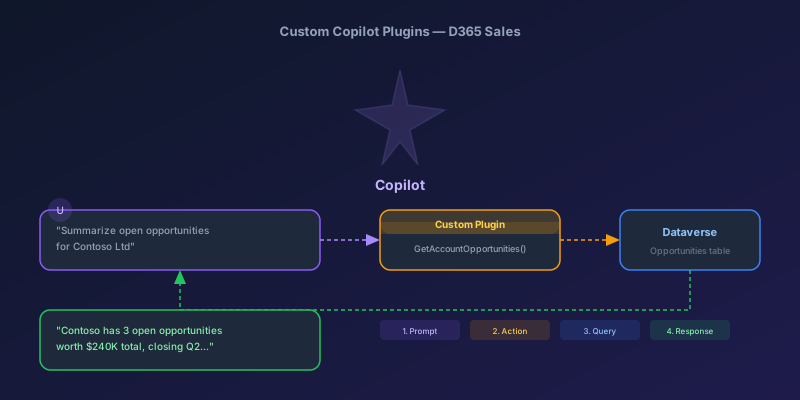
Building Custom Copilot Plugins for D365 Sales: Your First Action Step by Step
A hands-on tutorial for creating custom Copilot plugins in Dynamics 365 Sales — from defining a custom API to registering a plugin that Copilot can invoke, with real examples and permission gotchas.
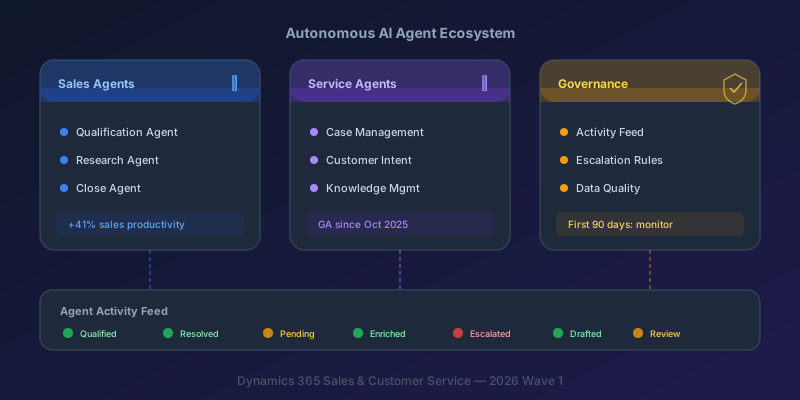
Autonomous AI Agents in D365 Sales and Customer Service: What You Actually Need to Know
A practical breakdown of the Sales Qualification Agent, Case Management Agent, and the governance framework you need before deploying them.
Newsletter
New posts, straight to your inbox
One email per post. No spam, no tracking pixels, unsubscribe anytime.
Comments
No comments yet. Be the first.