SysOperation Framework in D365 F&O: Building Batch Jobs the Right Way
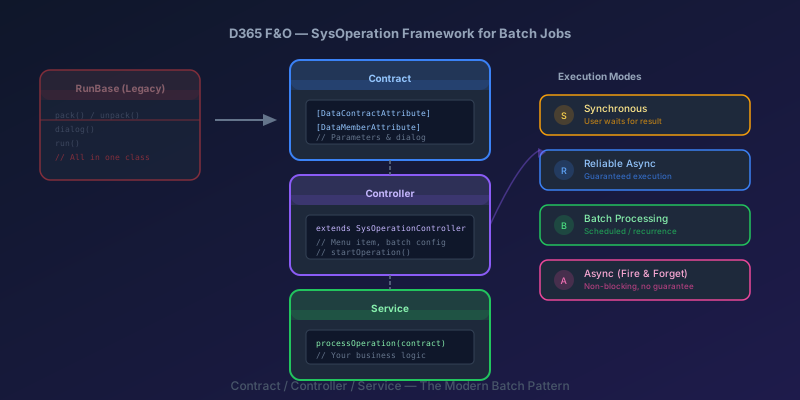
If you are still writing batch jobs using the RunBase framework in D365 Finance & Operations, you are using a pattern that Microsoft deprecated years ago. RunBase mixes UI, serialization, and business logic into a single class. It requires manual pack() / unpack() methods. It breaks when you add or remove a parameter and forget to update the version macro.
The SysOperation framework replaces all of that with a clean separation: a contract for parameters, a controller for execution configuration, and a service for business logic. This guide walks through building a production-ready batch job with all three.
Why SysOperation Over RunBase
| Concern | RunBase | SysOperation |
|---|---|---|
| Parameter serialization | Manual pack() / unpack() with container macros | Automatic via DataContractAttribute |
| Dialog generation | Manual dialog() / getFromDialog() | Auto-generated from contract |
| Execution modes | Synchronous or batch only | Synchronous, async, reliable async, batch |
| Testability | Difficult — UI and logic are coupled | Easy — service class is standalone |
| Separation of concerns | Everything in one class | Contract / Controller / Service |
The biggest practical win: you never write pack() / unpack() again. The framework handles serialization automatically from your contract's DataMember attributes. No more version macros, no more container position bugs.
Architecture: Three Classes
Contract
Defines the parameters. Each parameter is a property with DataMemberAttribute. The framework generates a dialog from these attributes automatically.
Controller
Configures how the operation runs: which menu item triggers it, the execution mode (sync, async, batch), the caption, and the default batch configuration.
Service
Contains the actual business logic. Receives the contract as input. This is the class you unit test.
Step by Step: Building an Invoice Cleanup Batch Job
Let us build a batch job that cleans up draft vendor invoices older than a configurable number of days.
Step 1: The Contract
[DataContractAttribute]
class VendInvoiceCleanupContract
{
    private int     daysOld;
    private boolean deleteOrArchive;
    private str 20  vendGroupFilter;

    [DataMemberAttribute('DaysOld'),
     SysOperationLabelAttribute(literalStr("Days old threshold")),
     SysOperationHelpTextAttribute(
         literalStr("Draft invoices older than this will be processed")),
     SysOperationDisplayOrderAttribute('1')]
    public int parmDaysOld(int _value = daysOld)
    {
        daysOld = _value;
        return daysOld;
    }

    [DataMemberAttribute('DeleteOrArchive'),
     SysOperationLabelAttribute(literalStr("Delete (true) or Archive (false)")),
     SysOperationDisplayOrderAttribute('2')]
    public boolean parmDeleteOrArchive(boolean _value = deleteOrArchive)
    {
        deleteOrArchive = _value;
        return deleteOrArchive;
    }

    [DataMemberAttribute('VendGroupFilter'),
     SysOperationLabelAttribute(literalStr("Vendor group (blank = all)")),
     SysOperationDisplayOrderAttribute('3')]
    public str 20 parmVendGroupFilter(str 20 _value = vendGroupFilter)
    {
        vendGroupFilter = _value;
        return vendGroupFilter;
    }

    public boolean validate()
    {
        boolean isValid = true;

        if (daysOld <= 0)
        {
            isValid = checkFailed("Days old must be greater than zero.");
        }

        if (daysOld < 30)
        {
            warning("Threshold below 30 days is aggressive. "
                + "Verify this is intentional.");
        }

        return isValid;
    }
}
Key details:
DataMemberAttribute— the parameter name used in serializationSysOperationLabelAttribute— the label shown in the dialogSysOperationHelpTextAttribute— tooltip text in the dialogSysOperationDisplayOrderAttribute— controls dialog field orderingvalidate()— called by the framework before execution. Returnfalseto prevent the job from running
Step 2: The Service
class VendInvoiceCleanupService
{
    /// <summary>
    /// Entry point called by the SysOperation framework.
    /// </summary>
    [SysEntryPointAttribute(false)]
    public void processOperation(VendInvoiceCleanupContract _contract)
    {
        int daysOld           = _contract.parmDaysOld();
        boolean shouldDelete  = _contract.parmDeleteOrArchive();
        str 20 vendGroup      = _contract.parmVendGroupFilter();

        TransDate cutoffDate = DateTimeUtil::date(
            DateTimeUtil::addDays(DateTimeUtil::utcNow(), -daysOld));

        int processedCount = 0;

        VendInvoiceInfoTable    invoiceInfo;
        VendInvoiceInfoLine     invoiceLine;

        while select forupdate invoiceInfo
            where invoiceInfo.DocumentStatus == DocumentStatus::None
               && invoiceInfo.CreatedDateTime <= cutoffDate
        {
            // Apply optional vendor group filter
            if (vendGroup
                && VendTable::find(invoiceInfo.InvoiceAccount).VendGroup
                    != vendGroup)
            {
                continue;
            }

            ttsbegin;

            if (shouldDelete)
            {
                // Delete child lines first
                delete_from invoiceLine
                    where invoiceLine.ParmId == invoiceInfo.ParmId
                       && invoiceLine.TableRefId == invoiceInfo.TableRefId;

                invoiceInfo.delete();
            }
            else
            {
                invoiceInfo.DocumentStatus = DocumentStatus::ProjectInvoice;
                invoiceInfo.update();

                CustomArchiveLog::logArchived(
                    invoiceInfo.ParmId,
                    invoiceInfo.InvoiceAccount,
                    curUserId());
            }

            processedCount++;

            ttscommit;
        }

        if (processedCount > 0)
        {
            info(strFmt("%1 draft invoice(s) %2.",
                processedCount,
                shouldDelete ? "deleted" : "archived"));
        }
        else
        {
            info("No draft invoices matched the criteria.");
        }
    }
}
The service class is a plain X++ class. No framework base class, no UI code, no serialization logic. Just business logic.
The SysEntryPointAttribute(false) marks this as a service entry point. The false parameter means the framework should not run the authorization check on this method (authorization is handled by the menu item security).
Step 3: The Controller
class VendInvoiceCleanupController extends SysOperationServiceController
{
    public void new()
    {
        super();

        this.parmClassName(classStr(VendInvoiceCleanupService));
        this.parmMethodName(methodStr(VendInvoiceCleanupService,
            processOperation));
    }

    /// <summary>
    /// Entry point when invoked from a menu item.
    /// </summary>
    public static void main(Args _args)
    {
        VendInvoiceCleanupController controller =
            new VendInvoiceCleanupController();

        controller.parmDialogCaption("Vendor Invoice Cleanup");
        controller.startOperation();
    }

    /// <summary>
    /// Controls whether the batch tab appears in the dialog.
    /// </summary>
    public boolean canGoBatch()
    {
        return true;
    }

    /// <summary>
    /// Specifies the default execution mode.
    /// </summary>
    public int defaultBatchExecutionMode()
    {
        return SysOperationExecutionMode::ScheduledBatch;
    }
}
The controller:
- Points to the service class and method via
parmClassName/parmMethodName canGoBatch()returnstrueso the batch configuration tab appears in the dialogdefaultBatchExecutionMode()sets the default to scheduled batch — users can override this in the dialog
Step 4: The Menu Item
Create an Action menu item in the AOT:
| Property | Value |
|---|---|
| Name | VendInvoiceCleanup |
| Object Type | Class |
| Object | VendInvoiceCleanupController |
| Label | Vendor Invoice Cleanup |
| Security Privilege | Create a new privilege or add to an existing duty |
Add this menu item to the appropriate menu (e.g., Accounts payable > Periodic tasks).
Execution Modes
The SysOperation framework supports four execution modes:
Synchronous
controller.parmExecutionMode(SysOperationExecutionMode::Synchronous);
The operation runs in the caller's session. The user waits. Use this for fast operations (under 10 seconds) or when the result must be displayed immediately.
Reliable Async
controller.parmExecutionMode(SysOperationExecutionMode::ReliableAsynchronous);
The operation is queued for execution on the server. Guaranteed to run even if the user's session ends. A message appears when the operation completes. This is the best default for most operations.
Scheduled Batch
controller.parmExecutionMode(SysOperationExecutionMode::ScheduledBatch);
The operation is submitted to the batch framework. Supports recurrence schedules, batch groups, and alerts. Use this for periodic jobs that run on a schedule.
Async (Fire and Forget)
controller.parmExecutionMode(SysOperationExecutionMode::Asynchronous);
The operation runs asynchronously. No guarantee of execution and no built-in retry. Use sparingly — reliable async is better for most cases.
Adding Lookups to Contract Parameters
The auto-generated dialog works for simple types, but you often need lookups. Use SysOperationControlVisibilityAttribute and a UI builder class:
[DataContractAttribute]
class VendInvoiceCleanupContract
{
    // ... existing parameters ...

    [DataMemberAttribute('VendGroupFilter'),
     SysOperationLabelAttribute(literalStr("Vendor group")),
     SysOperationControlVisibilityAttribute(true)]
    public str 20 parmVendGroupFilter(str 20 _value = vendGroupFilter)
    {
        vendGroupFilter = _value;
        return vendGroupFilter;
    }
}
Then create a UI builder:
class VendInvoiceCleanupUIBuilder extends SysOperationAutomaticUIBuilder
{
    public void postBuild()
    {
        super();

        VendInvoiceCleanupContract contract = this.dataContractObject()
            as VendInvoiceCleanupContract;

        DialogField vendGroupField = this.bindInfo()
            .getDialogField(contract,
                methodStr(VendInvoiceCleanupContract,
                    parmVendGroupFilter));

        if (vendGroupField)
        {
            vendGroupField.registerOverrideMethod(
                methodStr(FormStringControl, lookup),
                methodStr(VendInvoiceCleanupUIBuilder, vendGroupLookup),
                this);
        }
    }

    public void vendGroupLookup(FormStringControl _control)
    {
        SysTableLookup lookup = SysTableLookup::newParameters(
            tableNum(VendGroup), _control);
        lookup.addLookupField(fieldNum(VendGroup, VendGroup));
        lookup.addLookupField(fieldNum(VendGroup, Name));
        lookup.performFormLookup();
    }
}
Link the UI builder to the contract:
[DataContractAttribute,
 SysOperationContractProcessingAttribute(
     classStr(VendInvoiceCleanupUIBuilder))]
class VendInvoiceCleanupContract
{
    // ... same as before ...
}
Query Parameters in Contracts
For operations that need user-defined queries (like which vendors to process), use a query parameter:
[DataContractAttribute]
class VendInvoiceCleanupContract
{
    private str packedQuery;

    [DataMemberAttribute,
     AifQueryTypeAttribute('_packedQuery',
         queryStr(VendInvoiceCleanupQuery))]
    public str parmPackedQuery(str _value = packedQuery)
    {
        packedQuery = _value;
        return packedQuery;
    }

    public QueryRun getQueryRun()
    {
        return new QueryRun(
            SysOperationHelper::base64Decode(packedQuery));
    }
}
Create a query VendInvoiceCleanupQuery in the AOT with the VendInvoiceInfoTable as the data source. The dialog will show the standard query filter interface.
In the service, use the query instead of a hardcoded while select:
public void processOperation(VendInvoiceCleanupContract _contract)
{
    QueryRun queryRun = _contract.getQueryRun();

    while (queryRun.next())
    {
        VendInvoiceInfoTable invoiceInfo = queryRun.get(
            tableNum(VendInvoiceInfoTable));

        // ... processing logic ...
    }
}
Error Handling and Progress Tracking
For long-running batch operations, add progress tracking:
public void processOperation(VendInvoiceCleanupContract _contract)
{
    SysOperationProgress progress = SysOperationProgress::newGeneral(
        #AviUpdate,
        "Processing draft invoices...",
        totalRecordCount);

    int currentRecord = 0;

    while select forupdate invoiceInfo
        where invoiceInfo.DocumentStatus == DocumentStatus::None
    {
        currentRecord++;
        progress.setCount(currentRecord);
        progress.setText(strFmt("Processing %1 of %2",
            currentRecord, totalRecordCount));

        try
        {
            ttsbegin;
            // ... processing logic ...
            ttscommit;
        }
        catch (Exception::Error)
        {
            // Log the failure, continue with next record
            CustomErrorLog::logFailure(
                invoiceInfo.ParmId,
                infologLine(infologLine()));
            continue;
        }
    }
}
The SysOperationProgress displays a progress bar to the user in synchronous mode and logs progress in batch mode.
The try/catch inside the loop is critical: if one record fails, you want to log it and continue processing the rest — not abort the entire batch.
Testing the Service Class
Because the service is a standalone class with no UI or framework dependencies, testing is straightforward:
class VendInvoiceCleanupServiceTest extends SysTestCase
{
    public void testDeletesDraftInvoicesOlderThanThreshold()
    {
        // Arrange: create a test draft invoice older than 60 days
        VendInvoiceInfoTable testInvoice;
        testInvoice.DocumentStatus = DocumentStatus::None;
        testInvoice.InvoiceAccount = '1001';
        testInvoice.CreatedDateTime = DateTimeUtil::addDays(
            DateTimeUtil::utcNow(), -90);
        testInvoice.insert();

        VendInvoiceCleanupContract contract =
            new VendInvoiceCleanupContract();
        contract.parmDaysOld(60);
        contract.parmDeleteOrArchive(true);

        // Act
        VendInvoiceCleanupService service =
            new VendInvoiceCleanupService();
        service.processOperation(contract);

        // Assert
        testInvoice = VendInvoiceInfoTable::find(testInvoice.ParmId);
        this.assertNull(testInvoice.RecId,
            "Draft invoice should have been deleted.");
    }
}
You instantiate the contract, set parameters, instantiate the service, and call processOperation() directly. No dialog, no controller, no batch framework in the way.
Migrating From RunBase
If you have existing RunBase jobs to migrate:
- Extract the parameters from
pack()/unpack()into a contract class withDataMemberAttributeproperties - Extract the business logic from
run()into a service classprocessOperation()method - Create a controller pointing to the service class and method
- Move dialog customizations (lookups, visibility rules) into a UI builder
- Update the menu item to point to the new controller
- Delete the
RunBaseclass — do not keep it around "just in case"
The migration is mechanical. The hardest part is usually untangling the dialog logic from the business logic in RunBase classes that have grown organically over years.
Key Takeaway
The SysOperation framework is the correct way to build batch jobs and periodic operations in D365 F&O. The separation of contract, controller, and service gives you testable business logic, automatic serialization, and clean dialog generation.
Start every new batch job with these three classes. For existing RunBase jobs, migrate them when you next need to modify them — do not rewrite everything at once, but do not add new features to RunBase classes either. Every new RunBase class is tech debt you are choosing to create.
Keep reading
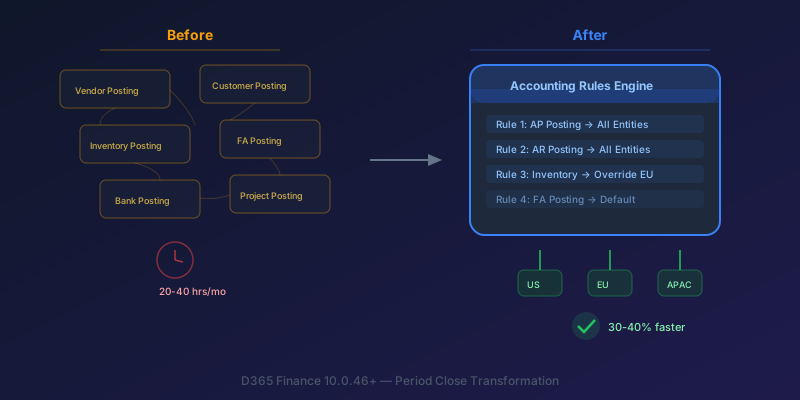
The New Accounting Rules Engine in D365 Finance: Stop Wasting 30 Hours a Month on Period Close
How the Accounting Rules Engine, multi-entity journals, flexible hierarchies, and Copilot in D365 Finance 10.0.46+ transform period close for multi-company environments.
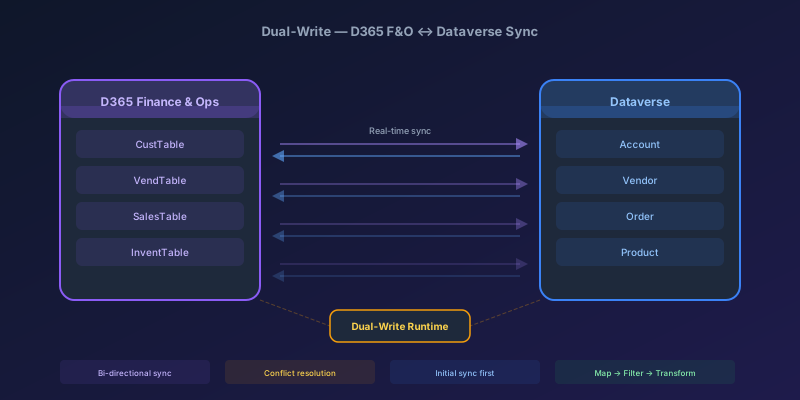
Dual-Write Between D365 F&O and Dataverse: Pitfalls and Patterns That Actually Work
A field-tested guide to dual-write configuration between D365 Finance & Operations and Dataverse — covering initial sync failures, conflict resolution, performance tuning, and when to use alternatives like virtual entities or data export service.
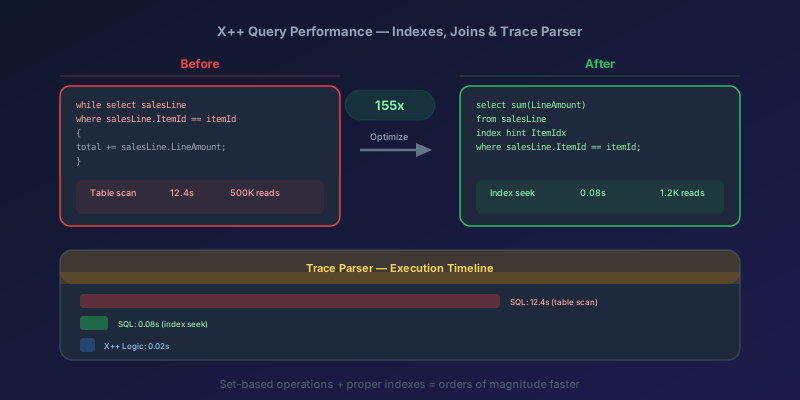
X++ Query Performance in D365 F&O: Indexes, Joins, and the Trace Parser
How to diagnose and fix slow X++ queries in D365 Finance & Operations using Trace Parser, execution plans, proper index design, join selection, and set-based operations — with real before/after examples.
Newsletter
New posts, straight to your inbox
One email per post. No spam, no tracking pixels, unsubscribe anytime.
Comments
No comments yet. Be the first.